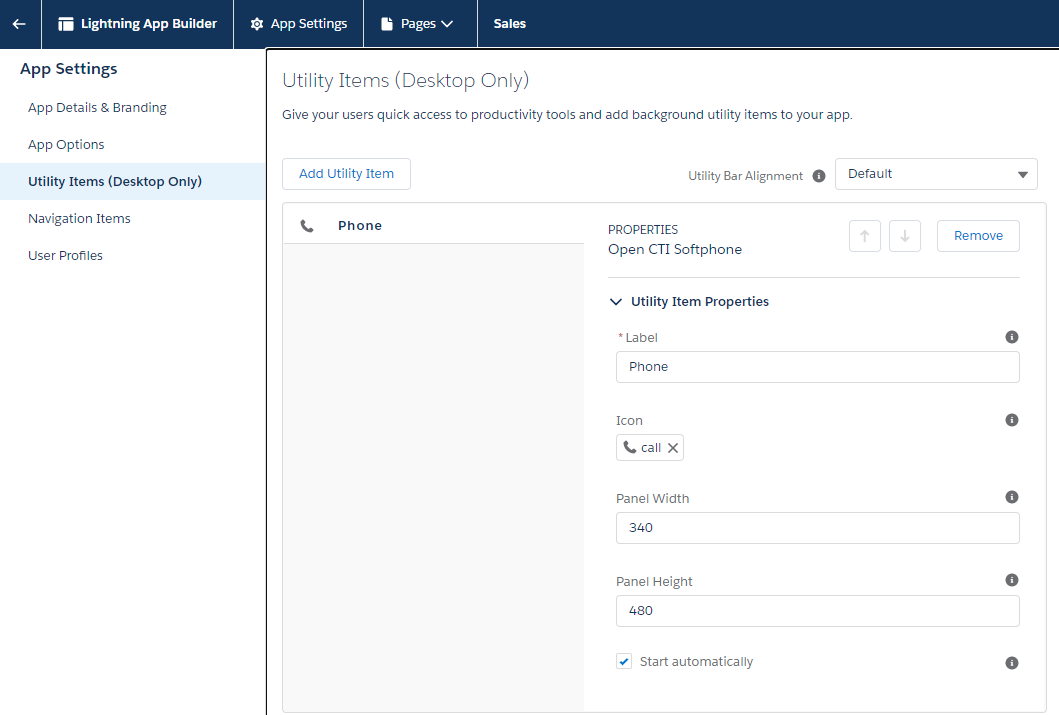
Add OpenCTI Softphone
The Salesforce integrated eXperience utilizes Salesforce's OpenCTI Softphone. The Salesforce administrator will need to add this to an application in Salesforce to activate the integration.
Configuration Steps
1. Navigate to App Manager
From the Setup Menu, navigate to Apps > App Manager. Select the application you would like to add the OpenCTI Softphone to. Click on the button on the far right of the record and select Edit.

2. Add the Utility Item
Once in edit mode, navigate to the Utility Items menu on the left. Select Add Utility Item and find the Open CTI Softphone.