Change OpenFrame Title
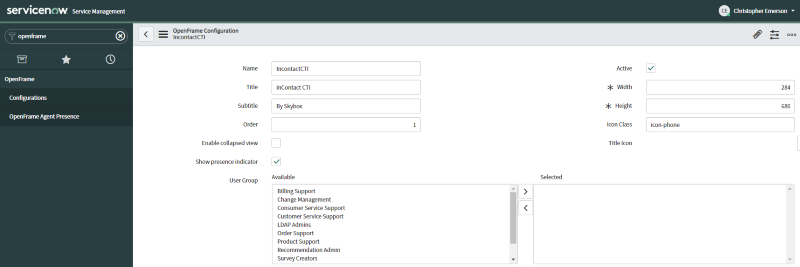
The Skybox integrated eXperience (SiX) is installed with a default Title of inContact CTI and a default Subtitle of By Skybox. These can be easily customized to match your organization's branding.
Configuration Steps
- Search OpenFrame: Type "OpenFrame" in the ServiceNow navigation search bar.
- Configurations Menu: Click on the Configurations menu under OpenFrame.
- Select CXoneCTI: Select the CXoneCTI Configuration record from the list.
- Update Fields: Modify the Title and Subtitle fields as desired.
- Save: Click Update to save your changes.
Info
Changing the title does not affect functionality, only the labels displayed at the top of the CTI window.