Disconnecting a Call
When a phone interaction is finished, you must disconnect the call to move to the next state (such as ACW or Available).
Steps
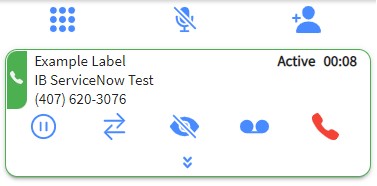
1. Click HANG UP
Click the red telephone icon on the active call card to end the call. The contact will be disconnected, and the call card will close (or move to the disposition screen if configured).