Using Quick Replies (Chat)
Quick replies are pre-configured response templates created by administrators to help agents respond quickly and consistently to common inquiries during a chat.
Steps
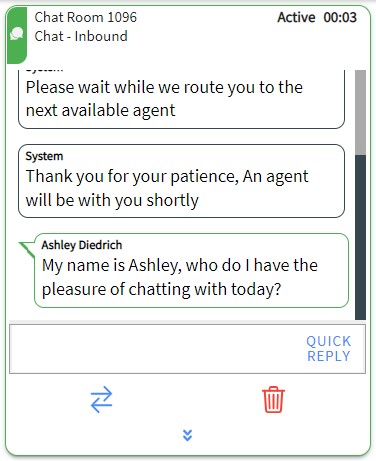
1. Click Q
Click the Q icon on the active chat card to open the Quick Reply selection screen.
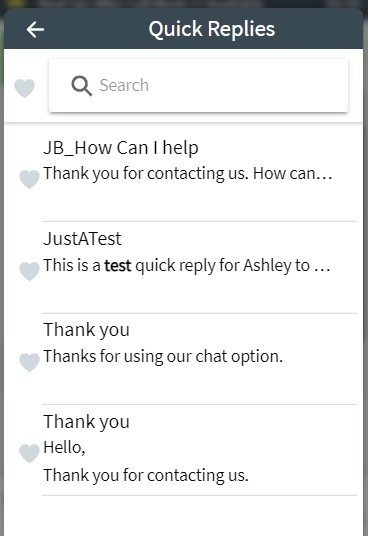
2. Browse Quick Replies
Click the title of a quick reply to expand it and review the message body.
3. Click SEND
This will immediately send the selected template text to the customer.
Immediate Action
Unlike email quick replies, clicking SEND in a chat will immediately transmit the message to the customer.