Placing a Call on Hold
You can put a contact on hold while you do other things. The contact typically hears music or a recorded message while they are on hold.
Steps
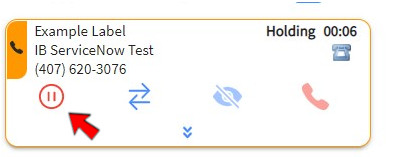
1. Click HOLD
The Hold button turns red and the active contact header turns orange. A Hold timer appears to let you know the contact is on hold.
2. Click RESUME
The Resume button changes back to the Hold button and the call is resumed.