Managing Licenses
This section describes how to manage your SiX licenses and assign access to users.
Salesforce Users
For embedded Salesforce Agent users, the management of licenses is handled in the Installed Packages section within Salesforce. Refer to the Salesforce License Assignment guide for details.
Adding Licensed Agents
1. Click the Add Licensed Agents Button
The Add Licensed Agents button is located at the top right of the Active License Members section.

2. Select Agents To Add
A pop-up will display all users in your CXone Contact Center who do not currently have a license assigned to their User ID.
- Search: Narrow down the list by typing in the Search box.
- Filter: Filter the list by Team.
- Select All: Click the SELECT ALL button to add everyone in the filtered list.
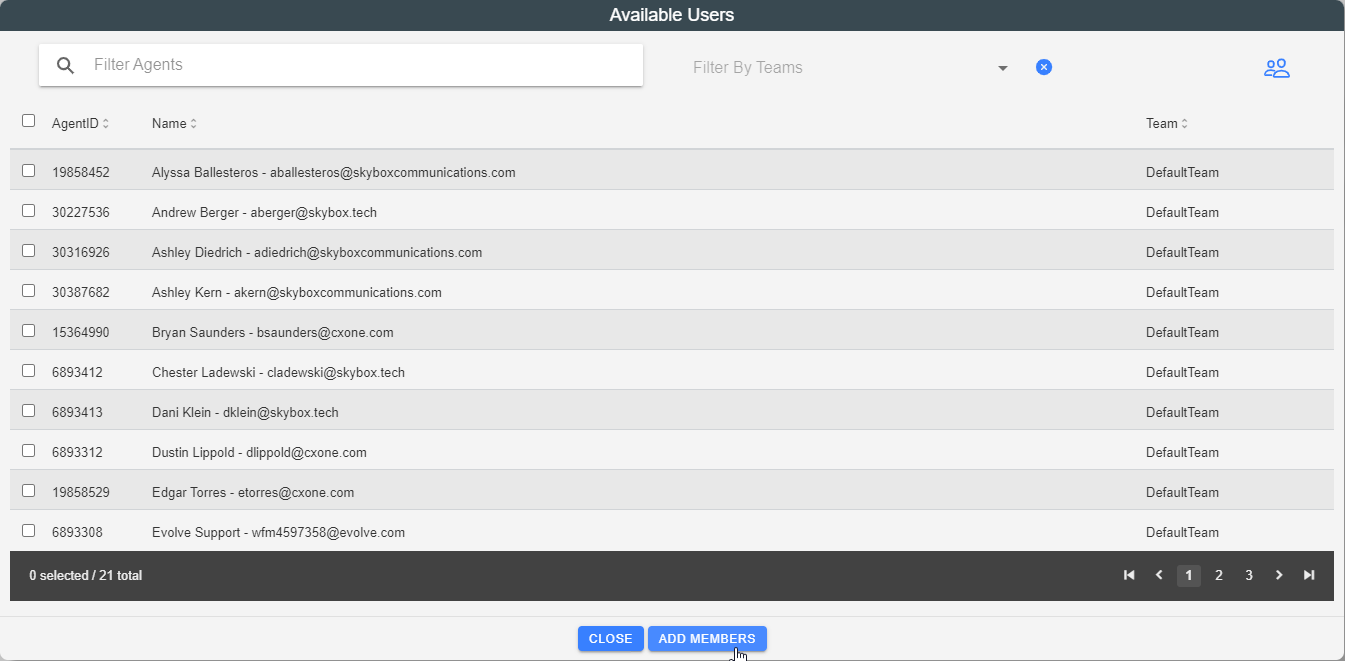
3. Click Add Members Button
Click the Add Members button to complete the assignment and provision the licenses.
Removing Licenses
To remove a license from a user, locate them in the Active License Members list and click the Remove icon or unassign them as required.
