Using Quick Replies (Email)
Quick replies are pre-configured response templates created by administrators to help agents respond quickly and consistently to common inquiries.
Steps
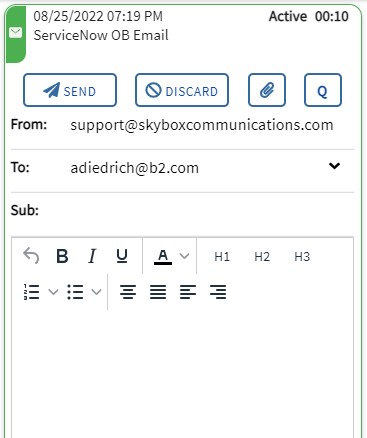
1. Click Q
Click the Q icon on the active email card to open the Quick Reply selection screen.
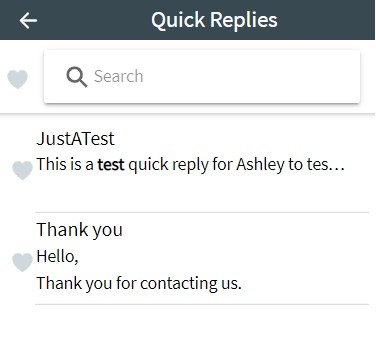
2. Browse Quick Replies
Click the title of a quick reply to expand it and review the message body.
3. Click INSERT
This will insert the template text into your email body.
Not Automatically Sent
Inserting a quick reply will not automatically send the email. You can still edit the text or add more content before clicking SEND.