Transferring a Voicemail
If you need to escalate a voicemail or if it should be handled by a different team, you can transfer it to another skill or agent.
Steps
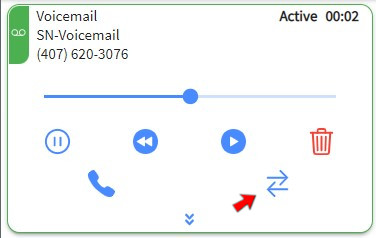
1. Click TRANSFER
Click the transfer icon on the active voicemail card.
Transfer Conditions
Voicemails do not need to be paused or stopped before transferring, but they cannot be transferred while on Hold.
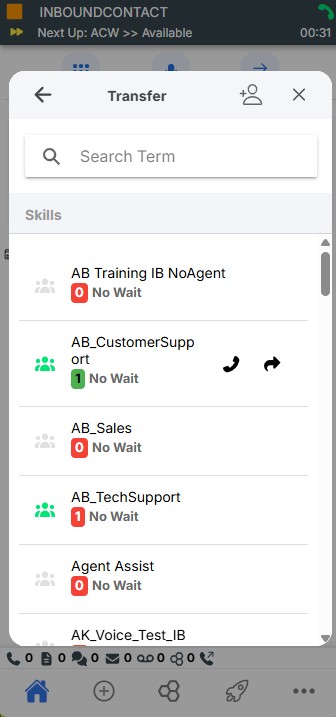
2. Find a Skill or Agent
In the search field, type the agent or skill you want to transfer the voicemail to. Optionally use the Skills tab or Teams tab to drill down to a specific entry.

3. Complete Transfer
Hover over the address book entry and click the blue arrow icon. The voicemail is immediately transferred to that location and is removed from your interface.